01 · Page checkerFast answer
One page is not doing its job.
Check a single URL for SEO, GEO, AEO, and AIO readiness. See what is unclear, what supports the finding, and the next move.
Best when you have a page you want to improve.
Search and AI action center
Content Miner reads your pages the way search engines and AI answer engines do, shows you the exact sentence behind every finding, and hands you a fix you can act on—then measures the next scan against the last one. Nothing changes on your site unless you change it.
Check a single URL for SEO, GEO, AEO, and AIO readiness. See what is unclear, what supports the finding, and the next move.
Best when you have a page you want to improve.Scan your content library to find pages covering the same ground, competing for the same intent, or needing different roles.
Scan my whole siteBest when traffic, rankings, or content decisions feel scattered.What the page checker reads
Titles, headings, descriptions, and page structure.
Authorship, source links, specific evidence, dates, introduction alignment, and word count.
Whether a visitor or answer engine can find a direct answer.
Useful structure, evidence, and supporting signals for AI surfaces.
What the report is for
SEO for search fundamentals, GEO for evidence and attribution, AEO for answer readiness, AIO for how well the page supports AI-generated answers. Each score is the weighted share of checks the page passed, and every check names the text it read.
If something could not be measured, it is marked not measured rather than counted against the page. When the scoring rules change, your dashboard says so, and old scans are never silently compared with new ones.
Free reports include Results Guide and rescan comparison. Paid plans add Fix Brief to hand to a colleague or your own AI, and Verified Fix Queue to record decisions and check them on the next scan.
Feature one · page checker
The page checker reads the URL you submit and explains its signals in plain language, with findings and evidence you can review before editing.
Ask the report
The Content Wizard is an assistant grounded in your report. Ask why a page scored the way it did, what a finding means, or what to fix first, and it answers from the evidence in your scan. Ask it something your report cannot answer and it says so. It never rewrites your pages and never invents a number.
It is available on every plan. On Free it explains what was measured; paid plans add prioritisation, plans, and briefs.
Bring your evidence
Paid plans import clicks, impressions, and queries from Google Search Console and Bing Webmaster Tools, plus GA4 event names, counts, and key events at the property level. GA4 and Google Business Profile snapshots are kept for 90 days after disconnect unless you choose immediate deletion; new Business Profile access is currently unavailable.
Feature two · free site scan
This is different from the page checker. It maps pages saying similar things, shows where they may compete, and helps you choose the work worth doing first.
Inside the site scan
This is the whole-site experience—not another version of the page checker. It groups the pages that may be competing, explains why, and gives you one decision at a time.
 Whole-site scanyourdomain.comOpen a free scan →
Start with this group
See the pages together, choose the one that should lead, and decide what to do next.
How to use it
The checker is the first screen because it is the fastest proof. The portal is where the larger duplicate-content workflow lives.
A real page-check result
Content Miner reads the page you submit, shows what it measured, and keeps the next action in plain language.
Try the page checker →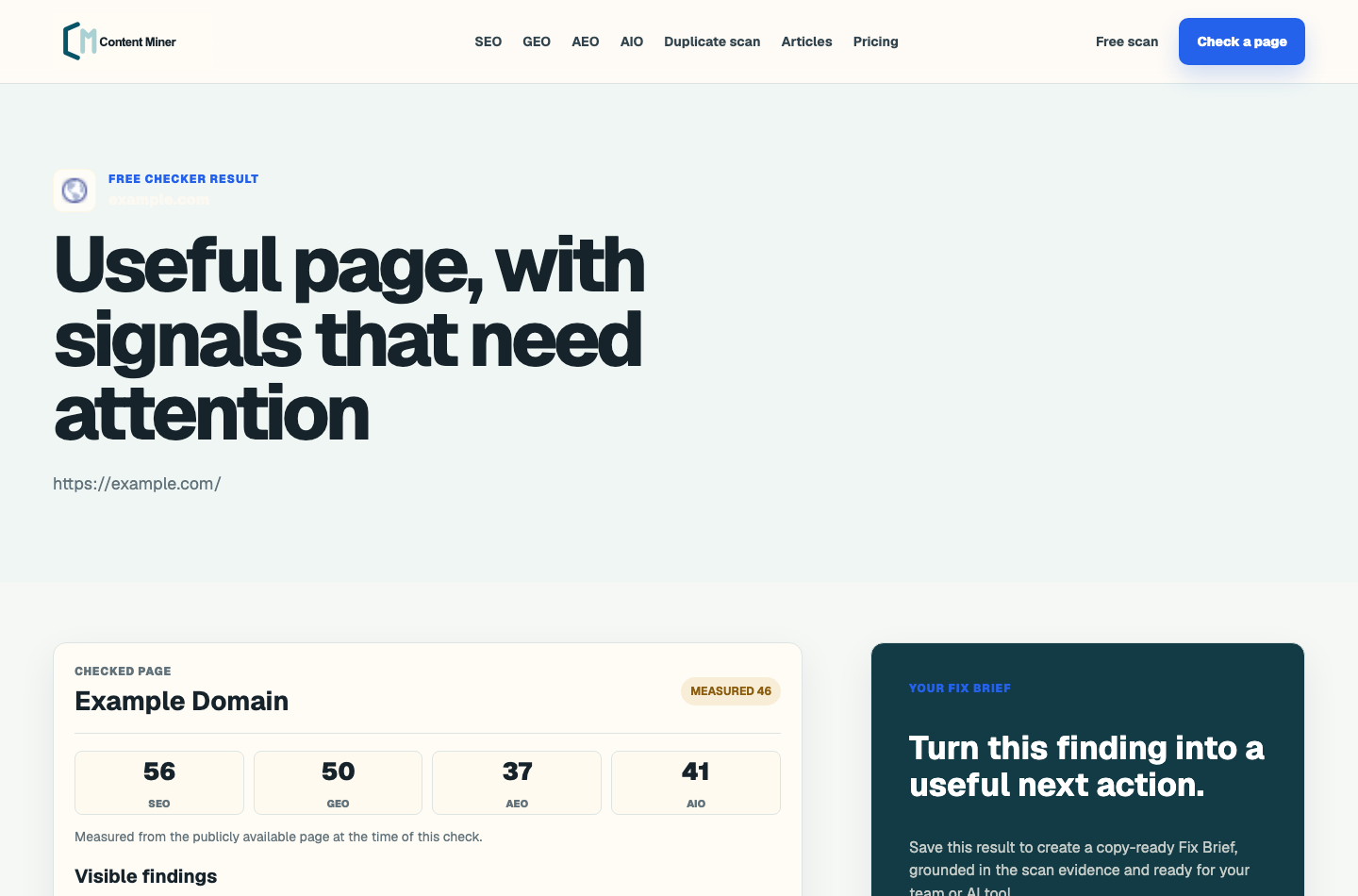
Paste one URL to see SEO, GEO, AEO, and AIO readiness before you rewrite. The public result gives enough evidence to know whether the page has a real issue.
Open this step →Enter a domain and email to move from a single-page score into duplicate-content groups, competing URLs, and a saved portal preview.
Open this step →Review each overlap group, pick the page that should win, and choose whether to combine, differentiate, update, or keep the competing pages.
Open this step →Articles
Two ways to run it
Paste one URL for a free page check, or scan a whole site into a saved workspace with duplicate groups, comparison history, and your connected search evidence.
Open a free site scan →Inventories posts, pages, drafts, and public custom post types, and reads copy stored by Betheme, Elementor, Divi, and WPBakery. Checks a new idea before you publish it and keeps a decision ledger of what you chose.
See what the plugin includes →Copy a portable prompt carrying your scores and findings into the assistant your team already uses, or read your reports directly with an API token or the MCP endpoint.
See every feature →Plans
FAQ
Duplicate content is the starting point, but the checker also reviews SEO, GEO, AEO, and AIO readiness so teams can see whether a page is built for classic search and AI-search surfaces.
Your email connects the free site scan to your workspace so you can return to its findings, duplicate and overlap groups, Results Guide, and rescan comparison, with 3 saved site scans. Paid plans add Fix Brief, Verified Fix Queue, evidence import, and Wizard prioritisation.
No. Content Miner does not rewrite, publish, redirect, or delete content. It shows findings and evidence so a person can decide what to change.
Yes. The public sitemap is available at https://contentminer.io/sitemap.xml and lists the main checker pages, scan pages, article index, and indexable articles. It follows the standard sitemap protocol, so any search engine that accepts a sitemap will accept it.
Both published guidance and our own judgment, and it is worth knowing which is which. The search-facing signals follow Google Search Central and the Bing Webmaster Guidelines, and the structured-data checks follow the schema.org vocabulary. The thresholds — how many words, how many questions, how many sources count as enough — are ours. That is why every finding shows the sentence the extractor actually read: so you can disagree with the threshold and still trust the measurement.
Published · Last updated